

Overview
We will develop this with Prompt Builder and Field Generation to summarize the content from one field to another.
Steps
Create 2 Opportunity fields: Setup → Object Manager → Opportunity → Fields & Relationships → New:
- Call Notes (Long Text Area): input, raw call notes.
- Call Summary (Long Text Area): output, generated summary.
Add them to the page layouts.
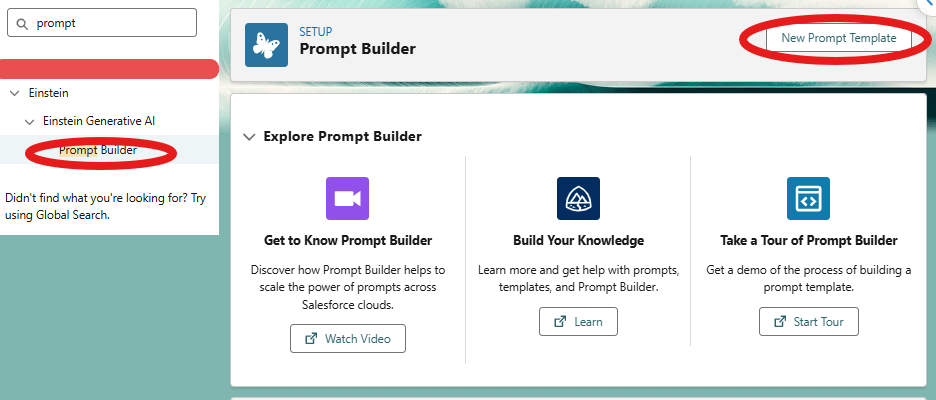
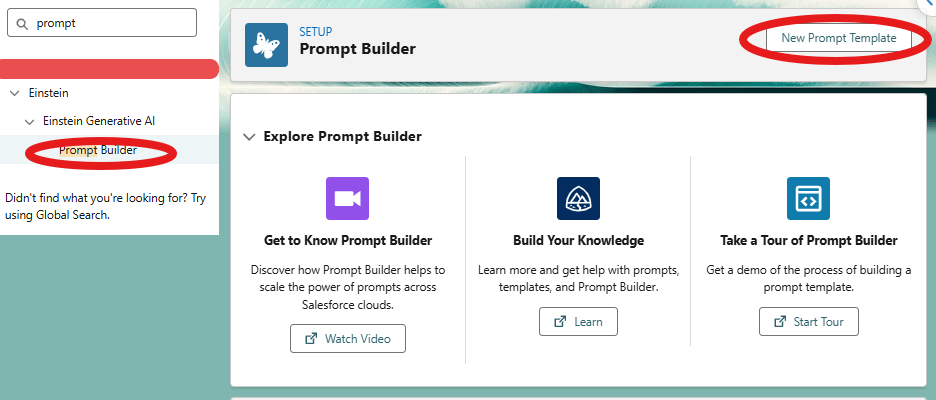
Setup → Prompt Builder → New Prompt Template:
- Type: Field Generation.
- Name: Call Report Summary
- Object: Opportunity.
- Object Field: Call Summary.
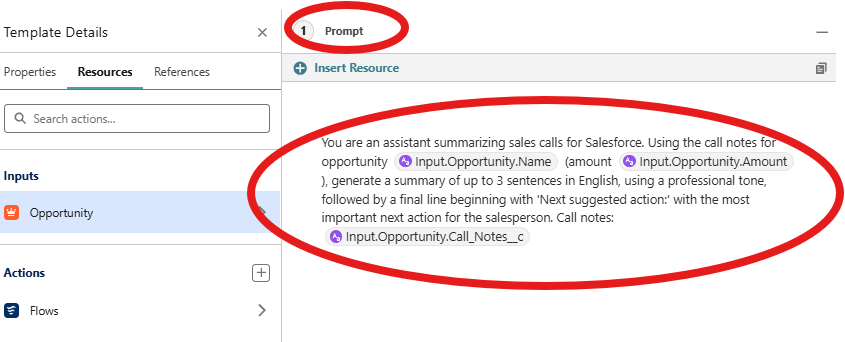
Add the prompt:
You are an assistant summarizing sales calls for Salesforce. Using the call notes for opportunity {{Input.Opportunity.Name}} (amount {{Input.Opportunity.Amount}}), generate a summary of up to 3 sentences in English, using a professional tone, followed by a final line beginning with ‘Next suggested action:’ with the most important next action for the salesperson. Call notes: {{Input.Opportunity.Call_Notes__c}}
Save & Preview
Search an opportunity which you filled the new “Call Notes” field. You can add this sentence in that field:
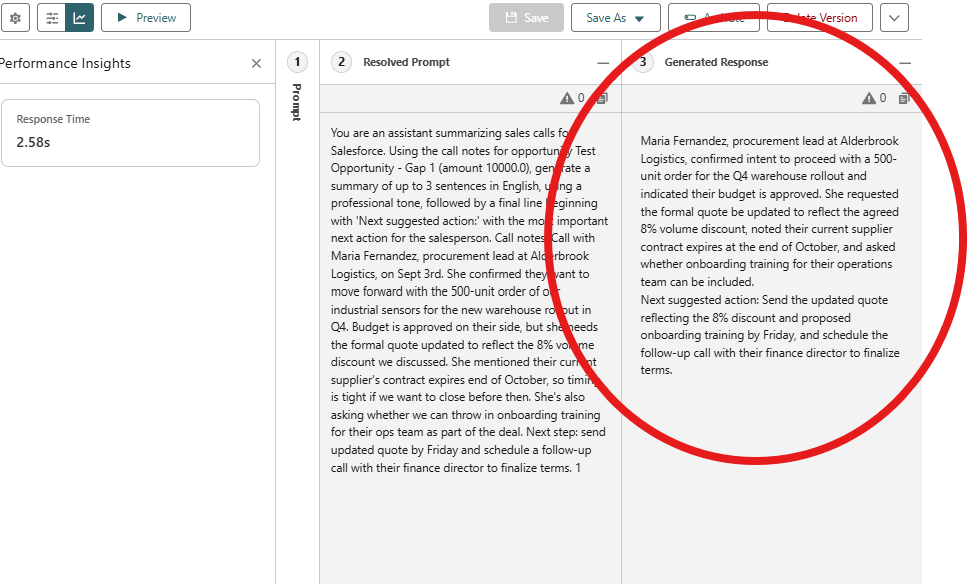
You are an assistant summarizing sales calls for Salesforce. Using the call notes for opportunity Test Opportunity – Gap 1 (amount 10000.0), generate a summary of up to 3 sentences in English, using a professional tone, followed by a final line beginning with ‘Next suggested action:’ with the most important next action for the salesperson. Call notes: Call with Maria Fernandez, procurement lead at Alderbrook Logistics, on Sept 3rd. She confirmed they want to move forward with the 500-unit order of our industrial sensors for the new warehouse rollout in Q4. Budget is approved on their side, but she needs the formal quote updated to reflect the 8% volume discount we discussed. She mentioned their current supplier’s contract expires end of October, so timing is tight if we want to close before then. She’s also asking whether we can throw in onboarding training for their ops team as part of the deal. Next step: send updated quote by Friday and schedule a follow-up call with their finance director to finalize terms.
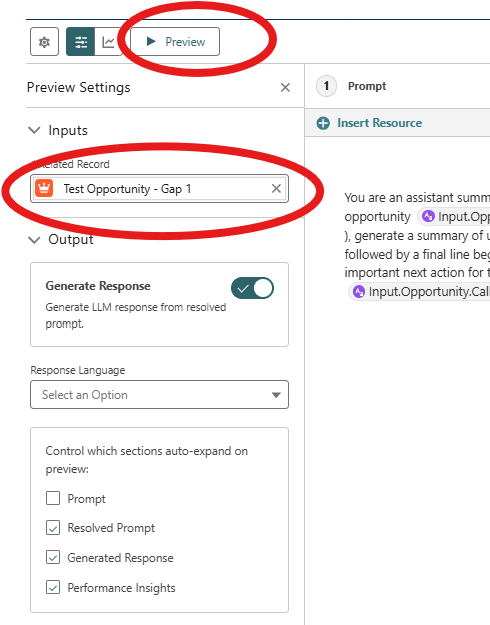
The result is in the “Generated Response” area.
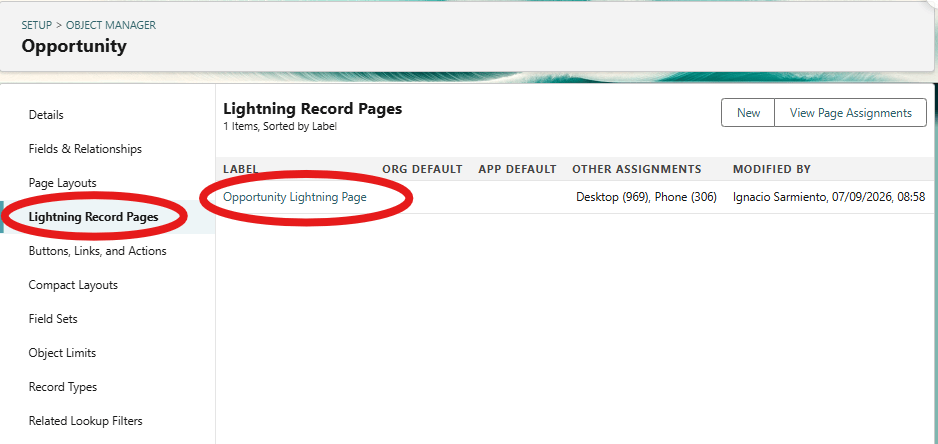
Create a lightning page with dynamic forms: Setup Setup → Object Manager → Opportunity → Lightning Record Pages → use the existing lightning page (in this case “Opportunity Lightning Page”)
If the field is still inside the classic “Record Detail” block, click it and Upgrade Now to enable Dynamic Forms.
Click the Call Summary field component → In the properties panel, under Einstein Generative AI, pick Call Report Summary from the Prompt Template dropdown.
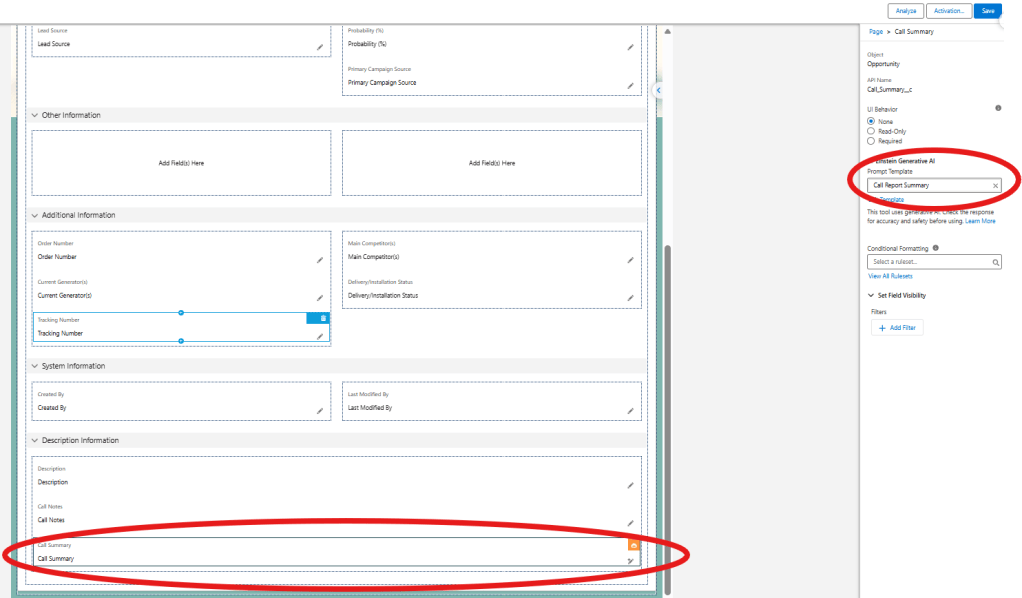
Save and Activate the page

Open a opportunity record which you filled the Call Notes. Now it’s visible this are with “stars”. Click on that.

The result is created automatically in this screen
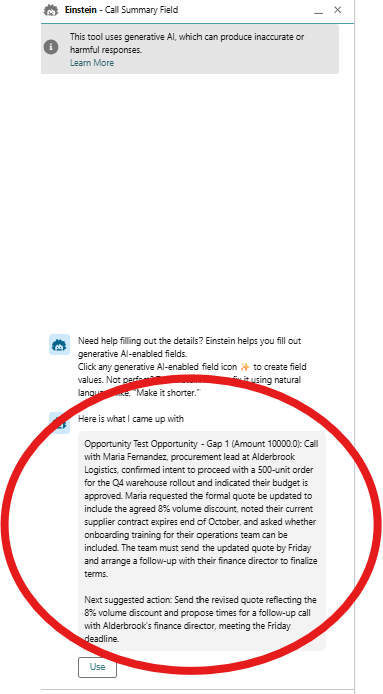
Click on “Use” and the value will be mapped to the field


